The bundled sample day
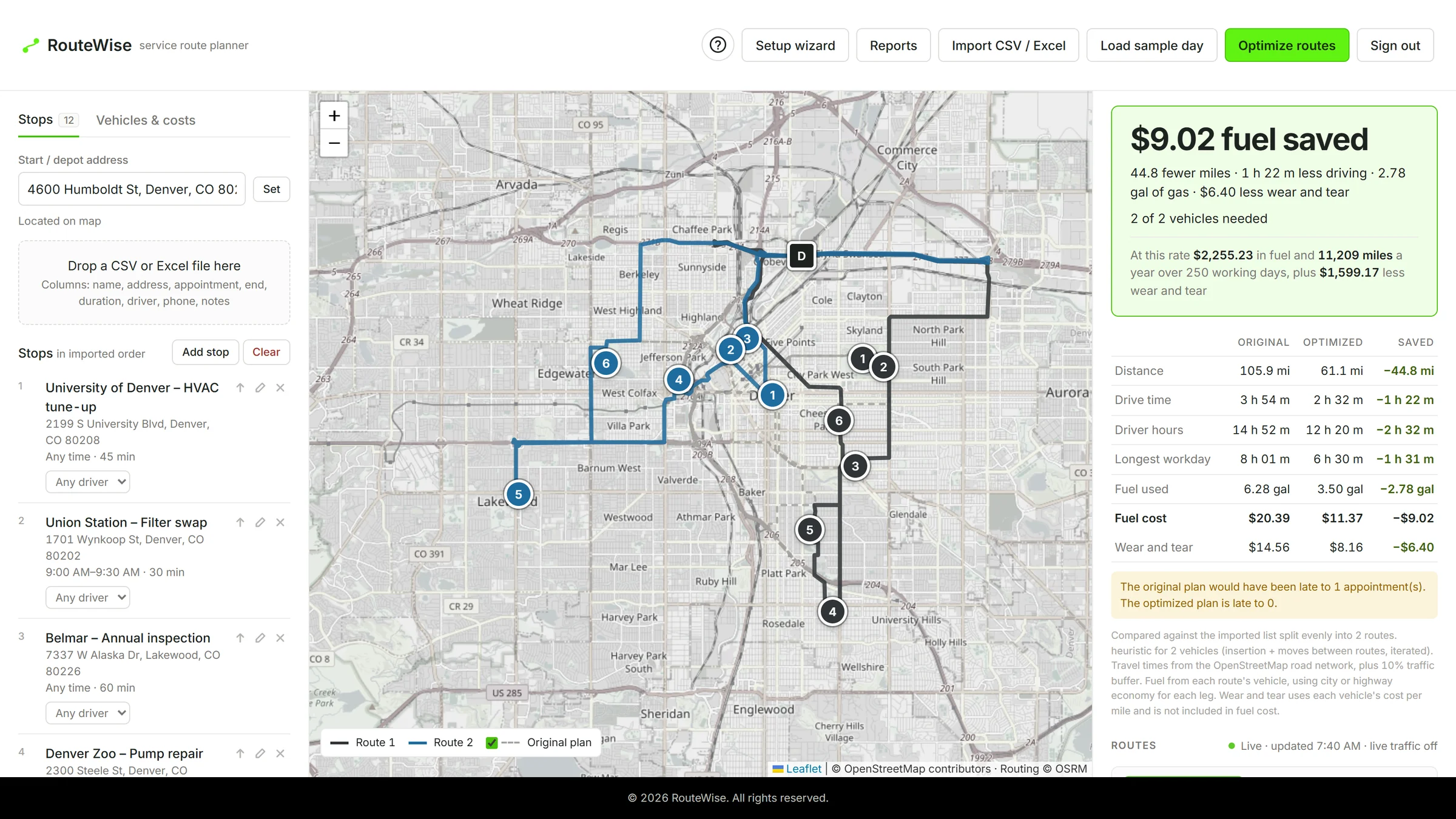
12 service calls around Denver, 2 vehicles. RouteWise’s plan compared with the same stops split evenly between the two vehicles. Your own results depend on your routes.
- Fewer miles
- 44.8mi
- Less fuel spent
- $9.02
- Less time driving
- 1h22m
- Late appointments
- 1→0
2-minute tour
Watch a day get planned, sent and driven.
From the morning questions to the driver’s phone to the end-of-month report, all in the real app.
Narrated, with captions on screen. Numbers shown are from the sample day.
Two tools that work as one
The office plans. The driver drives.
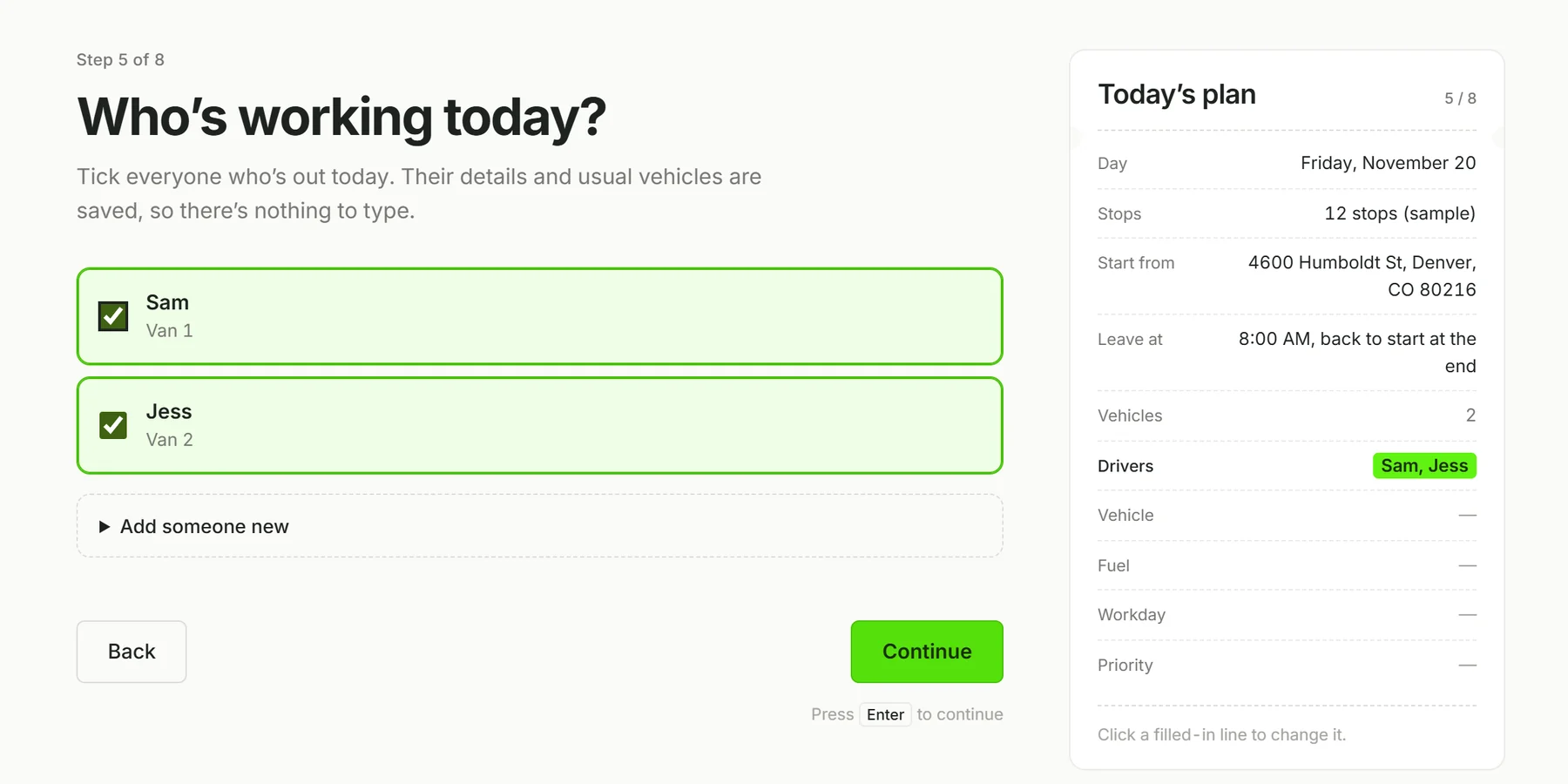
Office scheduling tool
For whoever plans tomorrow’s jobs. Runs in the browser on a desktop, laptop or tablet.
- A few plain questions, one at a time, then routes for every vehicle
- Drivers and vehicles saved once, shared by every office computer
- Savings against your own plan, every time you plan
- Office password, so only your office can see routes
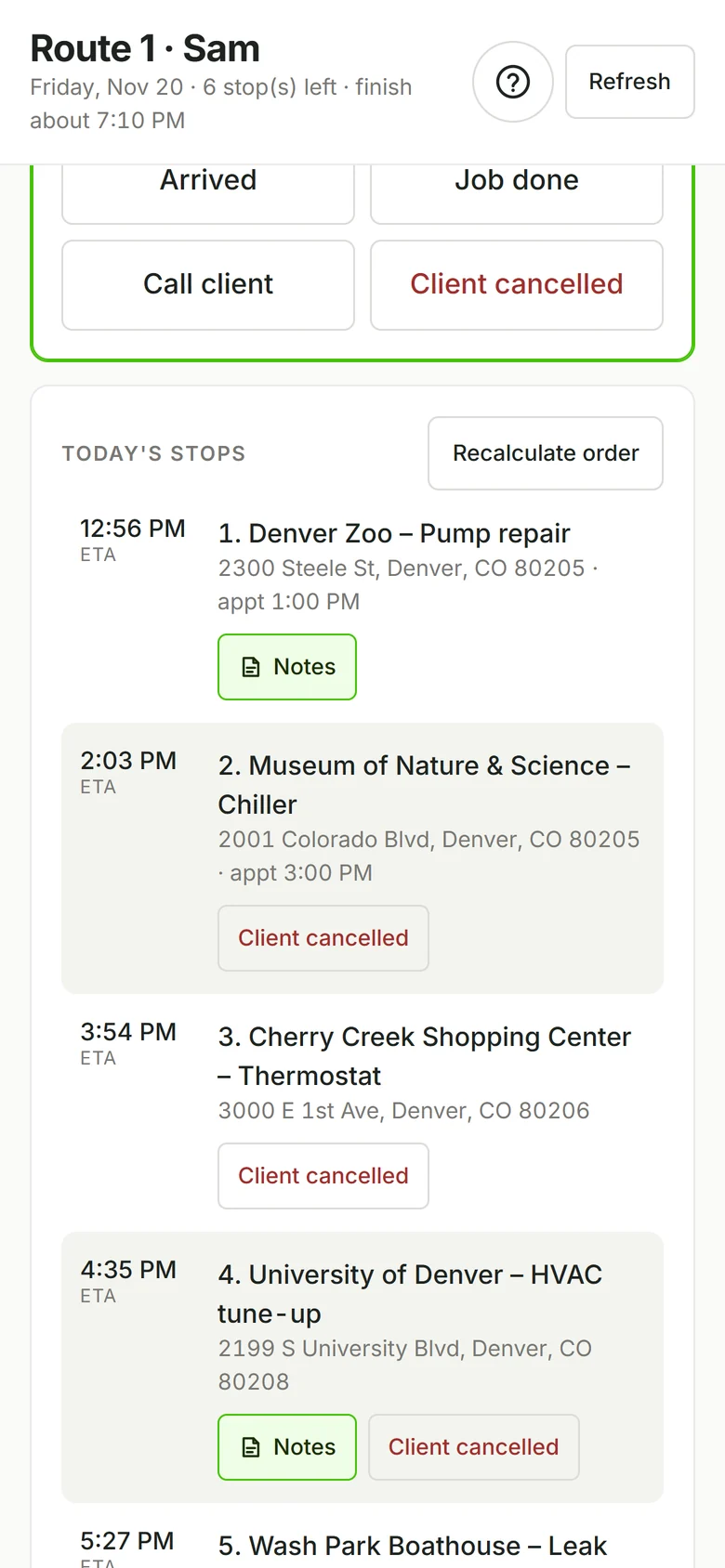
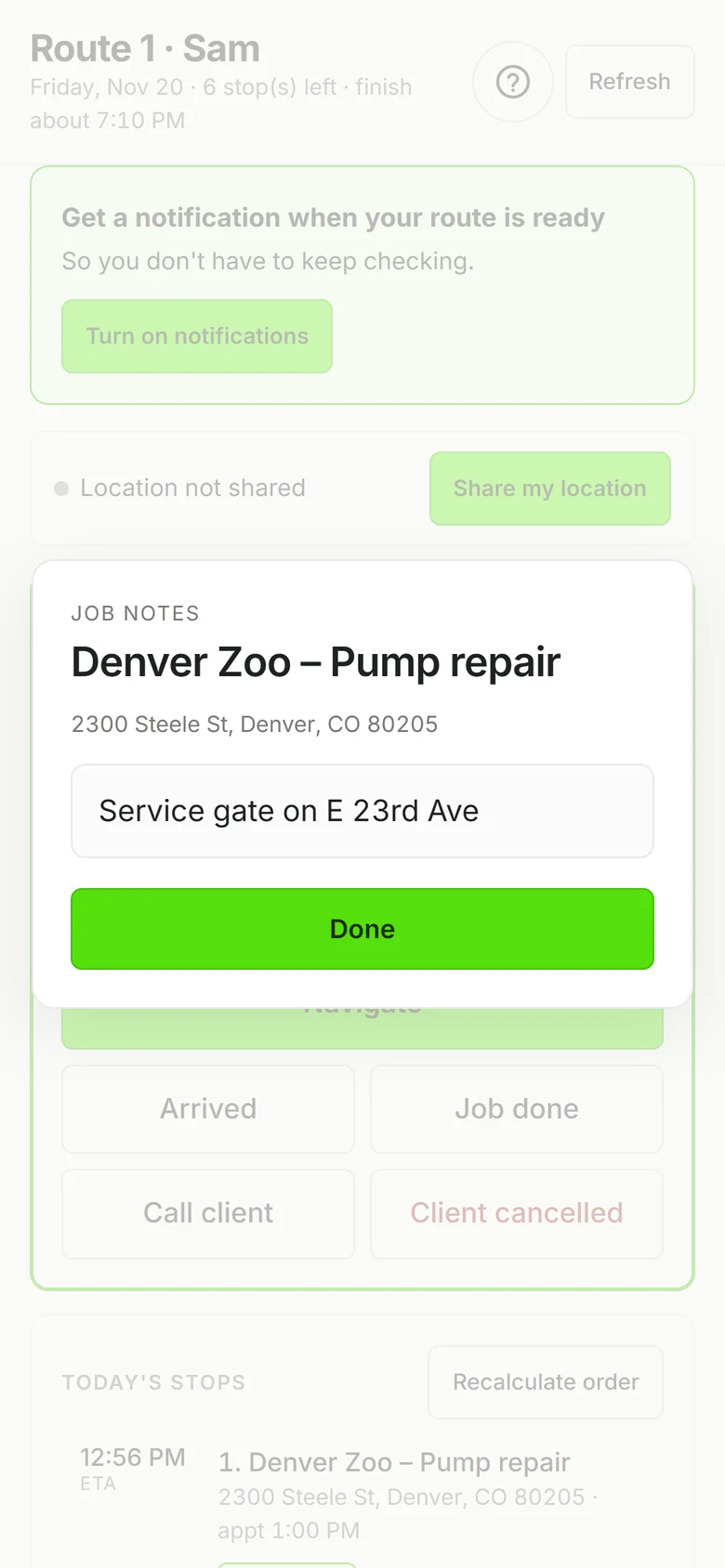
Driver phone app
For the people on the road. Adds to the home screen on Android and iPhone, straight from the browser.
- Today’s stops in order, with arrival times that update through the day
- One tap to navigate in Google Maps
- Mark arrived and job done, report a cancellation or add a stop
- Keeps the last route on screen when the signal drops
How it works
One day, five stops.
What a normal day looks like with RouteWise, from the first question in the morning to the numbers at the end of the month.
-
Morning, in the office
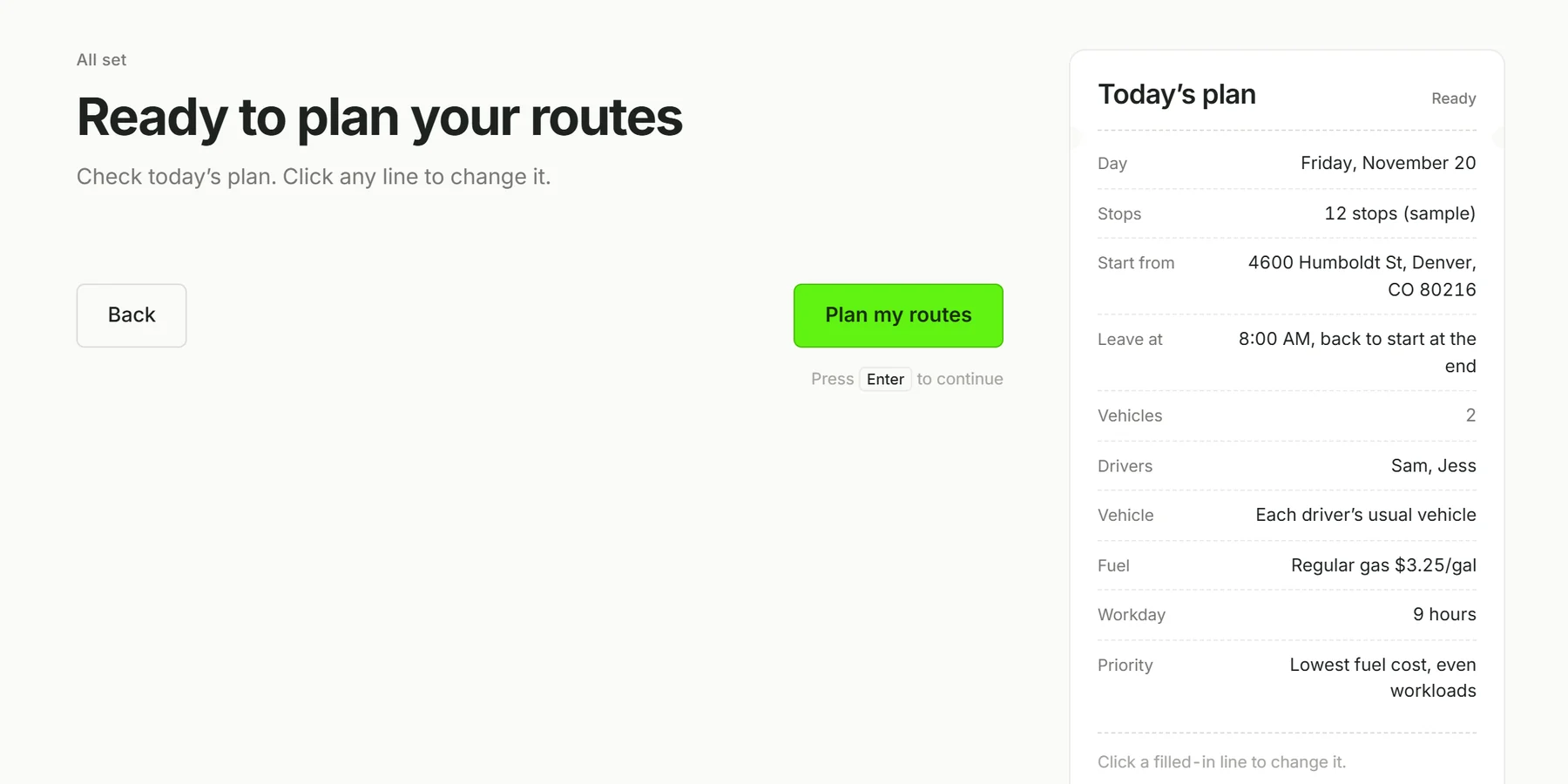
Answer a few questions
Pick the day, bring in your spreadsheet of jobs, and tick who’s working. Vehicles, fuel prices and workday length are remembered, so most days it’s a handful of clicks.
-
Right after
Get the best routes
RouteWise splits the jobs between your vehicles and orders each route so every appointment is kept. Fuel cost is worked out from each vehicle’s own city and highway mileage. You can still keep any client with a set driver.
-
Before the vehicles leave
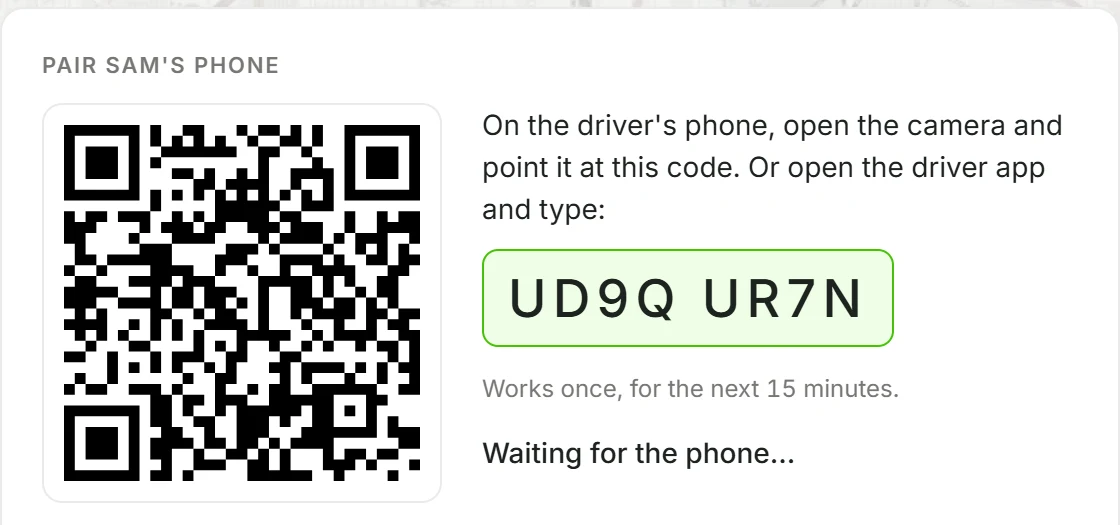
Send each driver their day
Each phone is paired once with a code that works one time only. After that, Send to drivers puts the right route on the right phone. A driver can only open their own route.
-
During the day
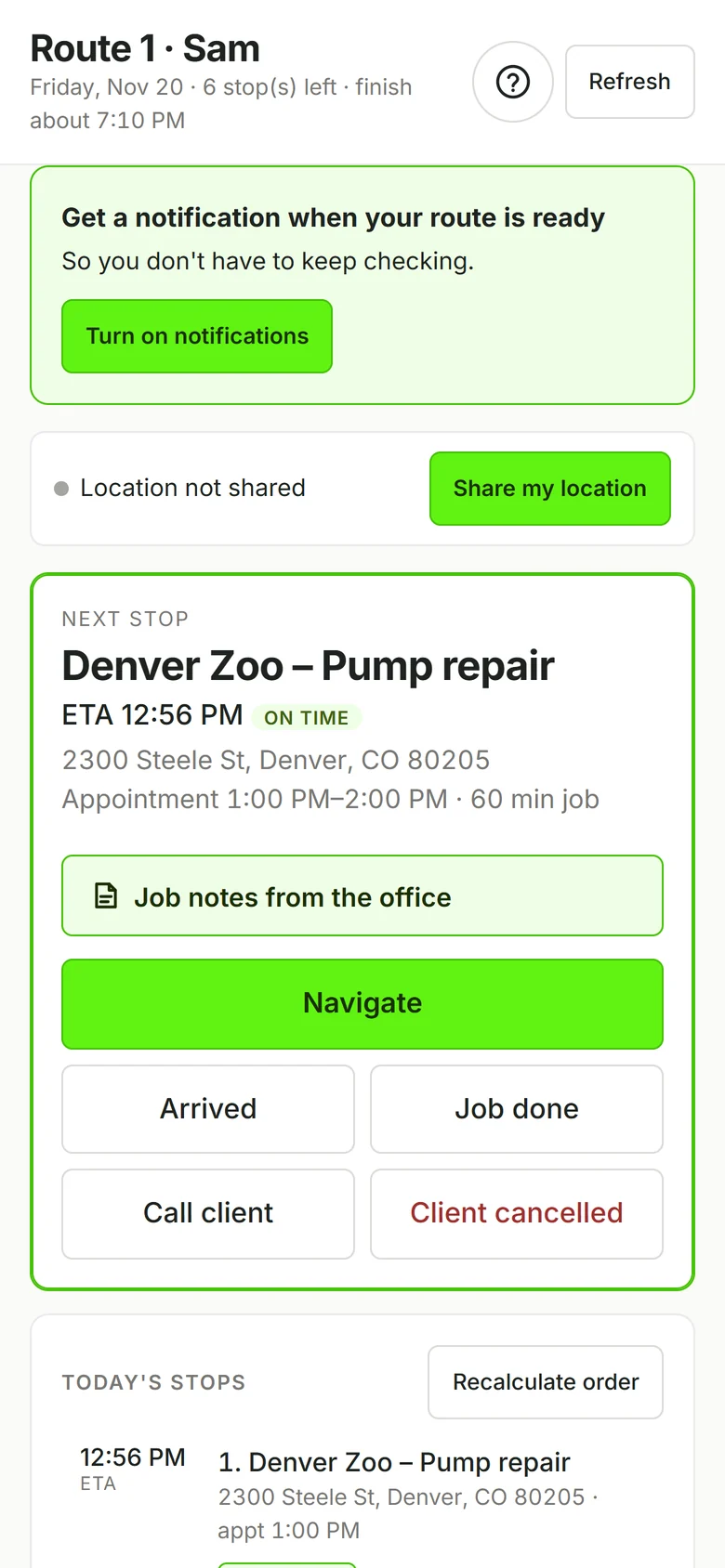
Changes look after themselves
A client cancels, or a new job comes in: the rest of that route is re-planned from where the driver is, and arrival times update on both screens. Job notes you add reach the phone within seconds.
-
End of the week, month or year
Look back at what you saved
Every planned day is kept. See fuel, miles, drive time and driver hours saved for any period, and save it as a PDF.
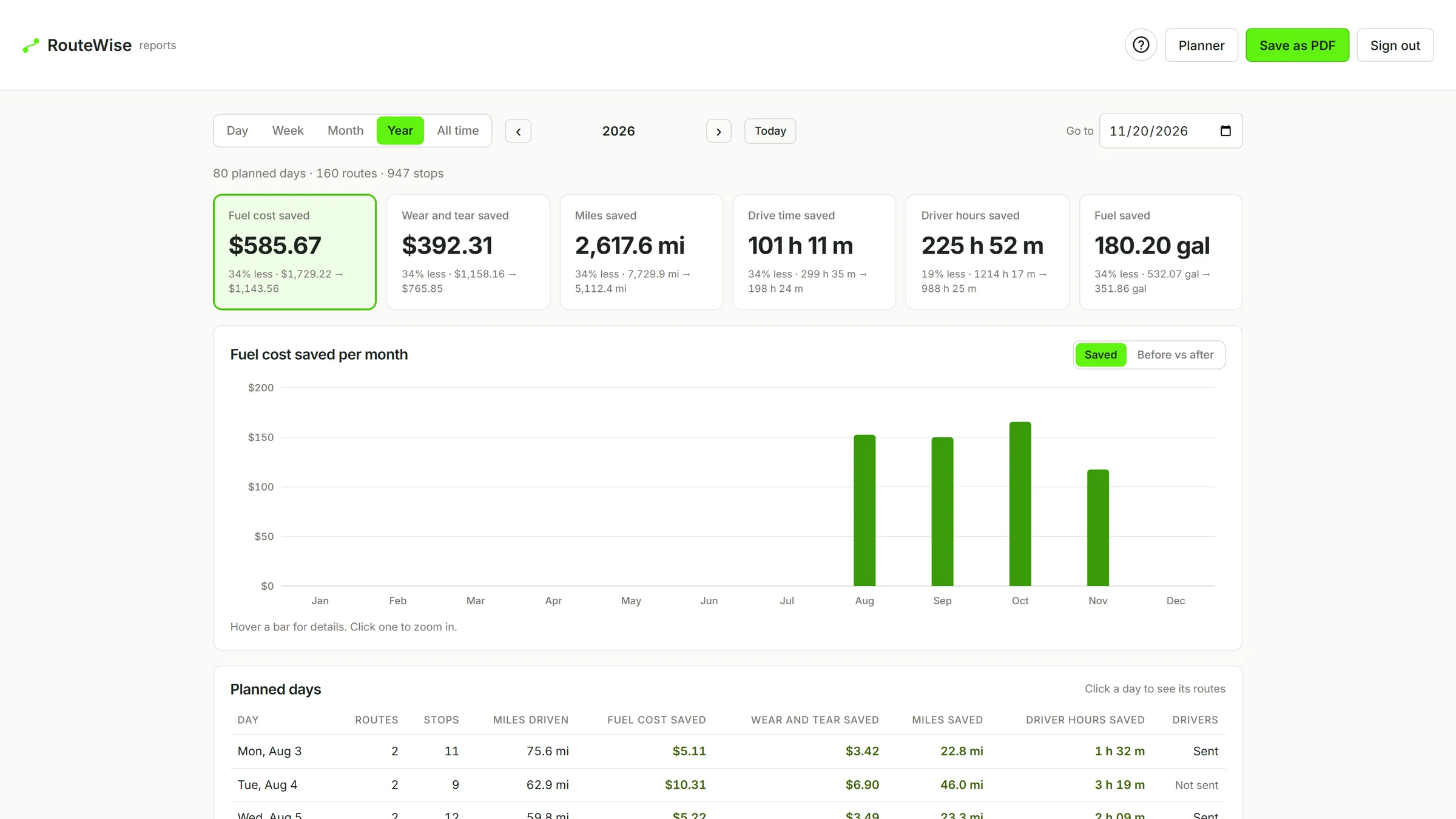
Shown with sample data.
Features
Built around how a service day really goes.
Appointments come first. Saving fuel comes second. Retyping the same drivers every morning doesn’t happen at all.
Planning
- Keeps every appointment
- Appointment windows come first. A plan never trades a late arrival for a cheaper route.
- Fuel cost from your own vehicles
- Each leg uses city or highway mileage depending on its speed. Look up the exact model in the U.S. EPA fuel economy data, or enter your own figures.
- Wear and tear, kept separate
- Add a cost per mile for each vehicle. It’s shown on its own line, never mixed into fuel.
- Clients that stay with one driver
- Give a stop to a named driver, or leave it to RouteWise. Mix both on the same day.
- Late starts and finish times
- A driver whose first job is late leaves later. Set an “everyone done by” time and routes that can’t make it are flagged.
On the road
- Automatic arrivals
- With location shared, arriving and finishing a job can be picked up on their own.
- Gets better with use
- Real job lengths and real drive times from finished routes are used for future plans.
- Live traffic, built in
- Road works, closures and congestion are taken into account, with nothing to set up.
Your office
- Bring your spreadsheet
- CSV or Excel with name, address, appointment and job length. A template is included.
- Private by default
- The office signs in with a password. Drivers never need one; their phone is paired instead.
- Works on any screen
- Desktop, tablet or phone, the office tool fits the screen it’s on.
Download
Get both tools.
Set up the office tool first, then pair each driver’s phone from inside it.
Office scheduling tool
Desktop, laptop or tablet. Plans the routes, sends them to drivers and keeps your reports.
Download the office toolDriver phone app
Android and iPhone. Installs from the browser to the home screen; no app store needed.
Get the driver appQuestions
Do drivers need an account or a password?
No. Each phone is paired once from the office tool by scanning a code. From then on it only receives that driver’s routes.
What does the cost figure include?
Fuel only, worked out leg by leg from each vehicle’s city and highway mileage and your fuel prices. Driver wages aren’t included. Wear and tear, if you set it, is shown separately.
What do I need to start?
A computer for the office, your list of jobs (a spreadsheet works), and your drivers’ phones with a web browser.
What happens if a driver loses signal?
The app keeps the last route it loaded on screen, and catches up when the signal comes back.